
AI vs Human Receptionists for Appointment Booking
Table of Contents
- AI vs Human Receptionists: The Appointment Booking Showdown
- Side-by-Side Comparison: Features, Cost, and Availability
- How AI Appointment Scheduling Software Handles Booking Workflows
- AI Receptionist Call Handling Examples for Appointment Inquiries
- Appointment Booking Scripts That Convert Callers Into Confirmed Slots
- Appointment Scheduling Best Practices for AI and Human Teams
- Cost Comparison: What You Actually Pay For Each Option
- When to Use AI, When to Use Humans, and When to Use Both
- Frequently Asked Questions
Last Updated: October 13, 2026
AI vs Human Receptionists: The Appointment Booking Showdown
Choosing between an AI receptionist and a human receptionist for appointment booking comes down to one question: what kind of calls are you getting?
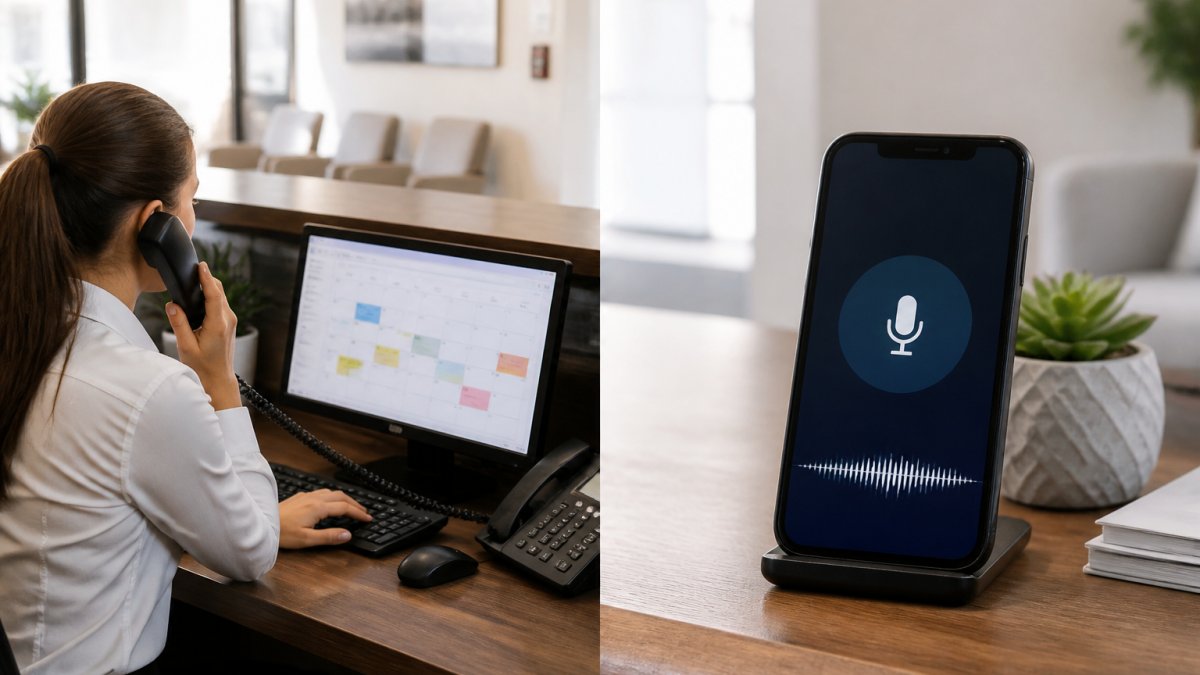
At SkyWebAI, we build voice and SMS agents that handle appointment booking around the clock, so here is our bias up front: for routine scheduling, AI wins on coverage and cost; for complex or emotional conversations, humans still win.
The debate is not really AI versus human, it is routine versus complex call handling. Get that split right and cost, availability, and caller experience fall into place.
Side-by-Side Comparison: Features, Cost, and Availability
The table below covers the factors that decide most purchases.
| Factor | AI Receptionist | Human Receptionist |
|---|---|---|
| Availability | 24/7 coverage, including after-hours calls | Business hours, plus overtime or answering services |
| Simultaneous calls | Handles multiple simultaneous calls | One caller at a time per person |
| Response time | Answers on the first ring, every time | Varies with call volume and staffing |
| Booking accuracy | Consistent, rule-based, calendar-checked | High, with human judgment on edge cases |
| Empathy and nuance | Improving, but limited on sensitive calls | Strong on complex or emotional requests |
| Cost structure | Monthly subscription plus setup | Hourly labor costs plus benefits and turnover |
| Scalability | Instant, no hiring required | Requires recruiting and training |
AI wins availability and scalability; humans win empathy and judgment. Cost depends on your call volume, broken down later.
How AI Appointment Scheduling Software Handles Booking Workflows
Most comparison articles treat booking as one feature: the agent "checks the calendar and books the slot." That hides the mechanics that determine whether a deployment works or creates cleanup work for your front desk. Here is what a real booking workflow looks like, and where each option breaks.
The Booking Sequence, End to End
A working booking flow has six stages, each a place where weak systems fail silently:
- Intent capture. The agent identifies what the caller needs (new booking, reschedule, cancellation, or a question that only looks like a booking request).
- Identity and record lookup. For existing callers, the agent matches the caller to a record, by phone number, name, or a verification question, before touching the calendar.
- Real-time availability check. The agent queries the scheduling system for open slots that match the appointment type, provider, and duration.
- Slot offer and confirmation. The agent offers specific times, not an open question, and confirms the exact slot before the call ends.
- Calendar write and conflict check. The booking is written to the calendar, and the system re-checks for a conflict created in the seconds between the availability read and the write.
- Confirmation and reminder scheduling. A written confirmation goes out immediately, and reminder messages are queued.
A human receptionist runs the same six stages with judgment on top. The difference is not the sequence, it is what happens when a stage fails.
Calendar Integration: Read, Write, and the Cached-Copy Trap
Calendar integration is where buying decisions should focus. A capable agent connects to your scheduling system through an API and reads live availability before offering a time.
Ask any vendor: does the agent read from your calendar, or a cached copy?
The second question is write access. Some agents read availability but cannot write a booking back to the calendar, so a human still enters every appointment.
Time Zones, Buffers, and Appointment Types
Three scheduling rules trip up weak systems most:
- Time zones. A caller in one time zone booking with a provider in another needs the agent to translate correctly. Errors here are common, a 9 a.m. confirmation that is actually 6 a.m. local time.
- Buffers. Many businesses need padding between appointments for cleanup, notes, or travel. An agent that ignores buffers will pack the calendar tighter than the provider can work.
- Appointment types and durations. A 15-minute follow-up and a 60-minute new-patient visit are not interchangeable. The agent needs to know which durations map to which slots, or it will offer a slot that cannot hold the appointment.
These rules are configurable in most scheduling systems. The question is whether the agent respects them or overrides them just to book something.
Handling Rescheduling, Cancellations, and Booking Failures
Booking is easy. Unbooking is hard.
A booking failure happens when the agent promises a slot the calendar cannot honor, or a caller requests something outside the rules, a same-day slot during a fully booked week, a provider who does not take that appointment type, a closed location.
Rescheduling and cancellations follow the same logic: verify identity, locate the original booking, release the old slot, and write the new one in a single pass.
The escalation path matters as much as the booking path.
What to Test Before You Buy
A short test script reveals more than any demo:
- Call after hours and try to book a taken slot. Does the agent catch it?
- Book across a time zone boundary. Does the confirmation reflect the right local time?
- Request a reschedule for an appointment that does not exist. Does the agent escalate or invent a record?
Pass all four and the booking workflow is probably sound. Fail any and the calendar integration needs work before anything else matters.
AI Receptionist Call Handling Examples for Appointment Inquiries
Here is what strong AI receptionist call handling looks like by call type.
- New booking: "I'd like a consultation next week." The agent checks availability, offers two slots, confirms, and texts a confirmation.
- Rescheduling: "Something came up, can we move my Thursday appointment?" The agent verifies the caller, finds the booking, and rebooks.
- After-hours inquiry: A caller reaches the line at 9 p.m. The agent books the slot instead of taking a message for tomorrow.
The pattern is consistent: routine inquiries get handled end to end, complex requests get escalated. That escalation path separates a working deployment from a frustrating one.
Appointment Booking Scripts That Convert Callers Into Confirmed Slots
A good appointment booking script confirms the reason for the call, offers a specific time rather than an open question, and locks the slot before the call ends.
Opening: "Thanks for calling [Business Name]. I can get you scheduled right now. What day works best for you?"
Offer: "I have [Day] at [Time] or [Day] at [Time].
Appointment Scheduling Best Practices for AI and Human Teams
The best appointment scheduling practices apply to both AI and human teams and start with response time. Speed-to-lead matters: callers who reach a live answer book at far higher rates than those who hit voicemail, and a missed call is usually a lost booking.
Three practices carry most of the weight:
- Answer every call, or route it. A hybrid receptionist model sends routine calls to AI and complex calls to a person.
- Confirm in writing. Send a booking confirmation and a reminder. Reminders cut no-shows more reliably than any other single step.
- Track booking accuracy. Log double bookings and failed reschedules. If the number is not near zero, fix the calendar integration first.
Privacy, Consent, and TCPA Compliance for Automated Booking
Automated booking touches personal data, so compliance is not optional. The Telephone Consumer Protection Act, enforced by the Federal Communications Commission, sets the rules for automated calls and texts, including consent requirements and opt-out handling. For healthcare-adjacent businesses, patient scheduling data also falls under privacy rules, and the HHS Office for Civil Rights publishes guidance on protecting that information.
Cost Comparison: What You Actually Pay For Each Option
Cost is where most articles stop short. A monthly subscription figure and an hourly wage figure are not comparable, they exclude setup, integrations, supervision, turnover, and the after-hours calls neither option may answer. The only fair comparison is total cost of ownership per booked appointment, with every line item on the table.
The Full Cost Stack for Each Option
Human receptionist, recurring and hidden costs:
- Base wages for every hour of coverage you need, including after-hours if you staff them
- Payroll taxes and benefits, which typically add a meaningful percentage on top of base wages
- Recruiting and onboarding cost each time a receptionist leaves
AI receptionist, recurring and hidden costs:
- Monthly subscription, often tiered by call volume or minutes
- One-time setup and configuration
- Integration work to connect the agent to your scheduling and phone systems
AI has a lower floor and a flatter curve, but it is not free of oversight. A deployment nobody monitors will drift.
Building a Cost-Per-Booked-Appointment Model
The apples-to-apples model is cost per booked appointment, not cost per month:
- Total monthly spend. For a human, that is wages plus benefits plus a share of recruiting and training. For AI, that is subscription plus amortized setup plus oversight labor.
- Calls answered. Count every call the option actually picked up, not every call that came in.
- Calls converted into confirmed bookings. This is the number that matters, and it is usually lower than the answer rate.
- Divide spend by bookings. That is your cost per booked appointment.
Run that math for a single human covering business hours versus an AI agent covering 24/7, and the gap usually appears in the after-hours calls the human option never answered, the missed-call cost most quotes leave out.
The Missed-Call Line Item
The largest hidden cost in the human column is not wages, it is unanswered calls. A caller who reaches voicemail during a busy period often does not leave a message or call back.
To estimate it, pull your phone logs and count calls that rang through to voicemail or abandoned the queue, then multiply by your typical booking rate for answered calls.
Assumptions You Should State Out Loud
Any cost model is only as good as its assumptions. Before comparing quotes, write down:
- How many calls per day you actually receive, split by business hours and after-hours
- What percentage of calls are routine bookings versus complex requests
- What your current booking conversion rate is on answered calls
Ask vendors for their answer rate and booking conversion rate on after-hours calls specifically. Daytime booking rates look similar across options. The after-hours numbers are where the two models actually diverge, and they are the numbers that decide whether the subscription pays for itself.
When the Math Favors Each Option
The pattern most businesses find: at low call volume, a human receptionist during business hours is simpler and often cheaper. As volume grows or after-hours demand appears, the AI option's flat cost curve wins on cost per booking. The crossover point depends on your numbers, which is why the model matters more than any quoted price.
When to Use AI, When to Use Humans, and When to Use Both
Use AI for routine inquiries, after-hours calls, and overflow. Use humans for complex requests, sensitive conversations, and anything requiring real judgment.
That last path is the one we recommend most often.
FTC guidance on telemarketing and robocall rules
Most businesses lose bookings in the gaps: the call after 6 p.m., the lead who waited three days for a callback, the reschedule that never got confirmed.
Frequently Asked Questions
Can an AI receptionist book appointments?
Yes. AI receptionists handle appointment booking by checking real-time calendar availability, confirming the slot with the caller, and sending a booking confirmation via text or email. They can also process rescheduling and cancellations. Tools like SkyWebAI automate this entire workflow, including lead qualification before the booking. The key limitation is complex, multi-step scheduling that requires human judgment, such as coordinating across multiple providers or handling unusual requests.
Is an AI receptionist better than a human for scheduling?
It depends on call volume and complexity. AI receptionists answer every call instantly, handle multiple simultaneous calls, and provide 24/7 coverage, which eliminates missed calls after hours. Human receptionists bring empathy and judgment for sensitive or complex conversations. A hybrid model often works best: AI handles routine appointment inquiries and booking, while humans manage escalations and high-touch interactions.
How much does an AI receptionist cost compared to a human?
AI receptionist pricing varies by call volume and features. Human virtual receptionist services and full-time in-house receptionists cost significantly more when you factor in salary, benefits, and training. For a precise cost comparison, request a quote based on your specific call volume.
Can AI receptionists handle appointment changes and cancellations?
AI receptionists can process rescheduling and cancellations by accessing your calendar system in real time. They verify the caller's identity, locate the existing booking, offer available alternatives, and confirm the change. Booking accuracy depends on calendar integration quality. If a conflict occurs, the system should flag it for human review rather than double-booking. Most platforms send automatic reminders to reduce no-shows.
Should a business use an AI receptionist and a human receptionist together?
A hybrid receptionist model works well for businesses with both routine and complex appointment inquiries. AI handles incoming calls after hours, routine bookings, and high-volume periods. Humans step in for escalated calls, sensitive conversations, or complex scheduling. This approach reduces missed calls and labor costs while keeping human judgment available when it matters. The split depends on your call mix and appointment complexity.